
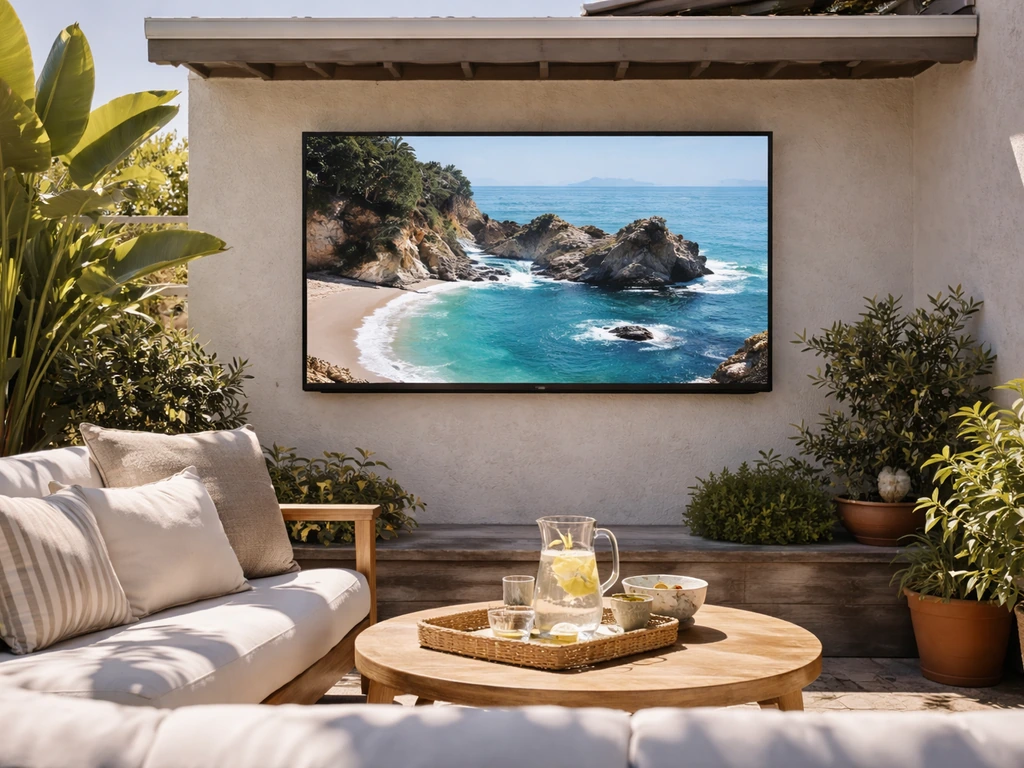
For a covered patio with some shade, a purpose-built outdoor QLED like the Samsung Terrace (around 2,000 nits, IP55-rated) is the best all-around choice. For a fully exposed, direct-sun setup, the SunBriteTV Pro 2 Full Sun is the more rugged pick, with an operating range from -24°F to 122°F and built-in temperature control. A standard indoor TV can work under a covered patio in mild climates, but it will struggle with glare, moisture, and temperature swings in ways that will shorten its life considerably. The sections below walk through exactly what to look for, how to match a TV to your specific patio, and how to set it up so it actually lasts.
Best TV for Outdoors Patio: Buy Guide for Covered or Sun

Lark Perry
28 Apr 2026
Outdoor TV basics: what actually matters in the specs
Most of the specs that matter for an outdoor TV are different from what you'd prioritize inside. Indoors, you're choosing between OLED for perfect blacks or LED/QLED for brightness. Outdoors, OLED is largely off the table because OLED panels top out around 800–1,000 nits peak brightness, which simply isn't enough to fight ambient light on a patio. LED and QLED are the practical choices, and QLED specifically (which uses quantum dot technology on top of an LED backlight) hits the higher brightness levels that outdoor viewing demands.
A typical indoor TV produces about 300–450 nits of brightness. That's fine for a dark living room, but step outside on a sunny afternoon and the picture becomes a washed-out mess. Outdoor TVs designed for shaded or partial-sun environments are rated at 1,000 nits or more. Full-sun models go higher, often 2,000+ nits, which is what you need when the sun is hitting the screen directly or reflecting off nearby surfaces. The Samsung Terrace Partial Sun model, for example, is rated at over 2,000 nits and includes adaptive brightness that responds to changing light conditions.
Refresh rate (the number of times per second the screen redraws the image, measured in Hz) matters less for most outdoor use cases. 60Hz is perfectly fine for watching sports, movies, or regular TV on a patio. You'd only think about 120Hz if you're using the outdoor TV for gaming. Resolution is a slightly different story: 4K is worth it at 55 inches and above, especially at closer viewing distances, but on a large covered patio where you're sitting 15–20 feet away, the jump from 1080p to 4K is less obvious. Most current outdoor TVs are 4K anyway, so this is rarely a buying decision you have to make separately.
Weather-proofing: covered vs. uncovered patio
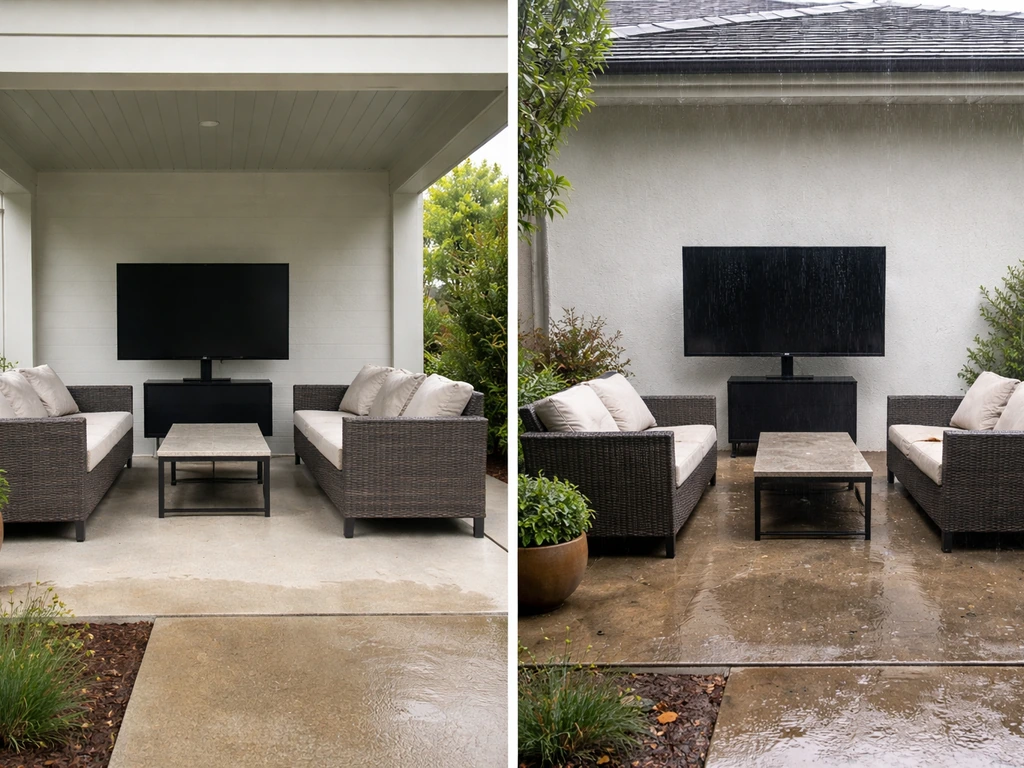
This is the single most important factor in deciding what kind of TV you need. A covered patio dramatically reduces your weather exposure: no direct rain, reduced humidity swings, and no direct sun on the screen. An uncovered patio means full exposure to rain, dew, extreme temperatures, insects, dust, and direct sunlight. These two scenarios call for genuinely different products.
Covered patio
Under a solid roof or pergola cover, you have some flexibility. A purpose-built outdoor TV like the Samsung Terrace is still the safest long-term choice because it's rated IP55, which means it's protected against dust and low-pressure water jets from any direction. IP55 is not waterproof in the submersion sense, but it handles rain splash, humidity, and condensation reliably. If you're on a tighter budget and the patio is genuinely well-covered (no blowing rain, no morning dew getting to the screen), some people do run indoor TVs under a covered patio successfully. The risk is real though: moisture intrusion, insects nesting in vents, and temperature extremes on hot or cold days can all kill an indoor TV within a season or two. If you go that route, you're accepting those risks.
Uncovered or exposed patio
For a fully exposed setup, don't even consider an indoor TV. You need an outdoor-rated unit with an IP55 rating minimum, sealed ports, and a temperature control system. The SunBriteTV Pro 2 Full Sun is built specifically for this: it operates from -24°F to 122°F (-31°C to 50°C) and includes internal heating and cooling to manage condensation and temperature extremes. Samsung's Terrace includes a Cold Weather Mode that activates between 32°F and 122°F, but its minimum operating temperature is higher than SunBrite's, making SunBrite the better choice if you live somewhere that gets cold winters and you want to leave the TV outside year-round. The Terrace also includes an Outdoor Mode designed to keep the backlight operating stably in cold weather, as noted by Crutchfield blank" rel="noopener noreferrer">Outdoor Mode for low temperatures.
| Feature | Samsung Terrace (Partial Sun) | SunBriteTV Pro 2 (Full Sun) | Indoor TV (Under Cover) |
|---|---|---|---|
| IP Rating | IP55 | IP55+ | None |
| Brightness | 2,000+ nits | ~1,000–1,500 nits | 300–450 nits |
| Operating Temp Range | 32°F to 122°F (with Cold Mode) | -24°F to 122°F | Varies, not rated outdoors |
| Direct Sun Placement | No (partial sun only) | Yes (designed for it) | No |
| Built-in Temp Control | Cold Weather Mode | Heating and cooling system | None |
| Smart TV Platform | Tizen (Samsung Smart Hub) | Limited/basic | Varies |
| Best For | Covered or shaded patio | Fully exposed, direct sun | Covered patio, mild climate, budget use |
Sunlight and visibility: brightness, glare, and viewing angles
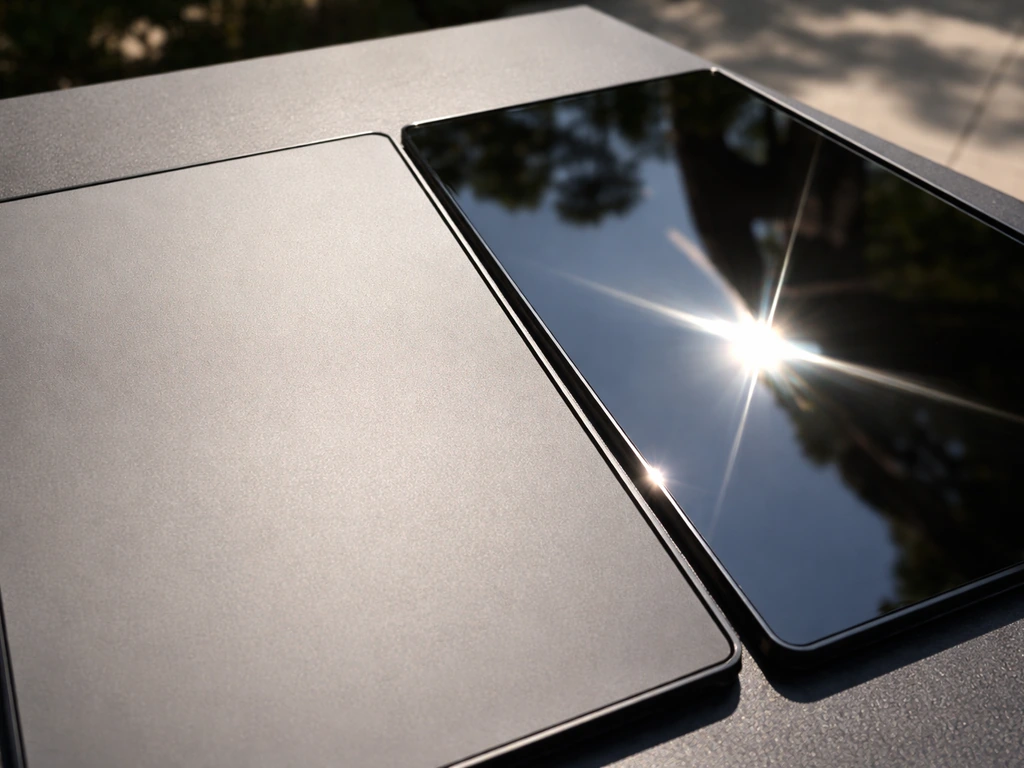
Brightness gets most of the attention, but glare and screen finish are just as important. A 2,000-nit TV with a highly reflective glossy screen can still be frustrating to watch in bright conditions because the sun reflecting off the screen washes out the image. Outdoor TVs like the Samsung Terrace address this directly with anti-reflection technology and a wide viewing angle panel, which means the image stays watchable from off to the side rather than only from directly in front.
Matte screen finishes scatter reflections so they're less harsh than the sharp mirror-like reflections from a glossy panel. This matters a lot when the TV is near a window, a pool, or any reflective surface. The tradeoff is that matte coatings can slightly soften fine detail in a dark room, but outdoors that trade is almost always worth it. When comparing TVs, look for 'anti-reflective' or 'anti-glare' in the spec sheet, and check whether the manufacturer specifically tested the set in outdoor conditions. Samsung's Terrace received UL outdoor visibility verification, which is the only industry certification of its kind and specifically tests real-world outdoor visibility rather than just peak brightness numbers.
For viewing angles, panels using VA (Vertical Alignment) technology have great contrast but narrow viewing angles, which is a problem outdoors where people are spread out across a patio. IPS and QLED panels generally hold their picture quality better when viewed from wider angles. If your seating arrangement is spread across a wide space, this matters more than it would in a focused living room setup.
On screen size: bigger isn't automatically better for every patio. A 55-inch screen viewed from 8–10 feet away is comfortable, while the same screen viewed from 20+ feet on a large patio will feel small. For many patios, that typically means picking a size that feels right at your viewing distance rather than choosing the biggest screen you can fit. A good starting rule is to take your viewing distance in feet, multiply by 12 to get inches, and divide by 1.6 to get an appropriate screen diagonal. For a 15-foot viewing distance, that lands you around 112 inches, which is where a projector might actually become more competitive than a TV. Most people land in the 55–75 inch range for typical patio setups.
Smart TV features that actually matter outdoors
The Samsung Terrace runs Tizen, Samsung's smart TV platform, which gives you access to Netflix, Disney+, Prime Video, YouTube, and the rest of the major streaming apps. It also supports Apple TV and AirPlay 2, so if you're in an Apple household you can cast directly from your iPhone or iPad to the TV without needing a separate streaming box. Alexa and Bixby voice control are also supported, which is genuinely useful outdoors when your hands are full or you're across the patio.
Wi-Fi reliability is the bigger practical concern for most people. B&H lists Samsung The Terrace connectivity options that include wired Ethernet (RJ-45) as well as Wi‑Fi, as shown on the product page blank" rel="noopener noreferrer">wired Ethernet (RJ-45) and Wi‑Fi connectivity options. Outdoor TVs are often 30–50 feet from the router, through walls and potentially through insulation, which can kill signal strength. If the TV's built-in Wi-Fi drops frequently, streaming will buffer constantly. Solutions include a Wi-Fi extender or mesh node positioned closer to the patio, or running a hardwired Ethernet cable to the TV if your setup allows it. Most outdoor TVs include an Ethernet port precisely for this reason. A wired connection is always more reliable than Wi-Fi for a fixed outdoor install.
The remote is another practical issue that often gets overlooked. Standard IR remotes require line-of-sight, which is tricky outdoors in bright sun where you may be sitting at an angle. Samsung's Terrace uses a Bluetooth-enabled SolarCell remote that doesn't need line-of-sight. SunBriteTV's Pro 2 supports IP control and RS232 for integration with home automation systems, which is useful if you're building a more elaborate outdoor AV setup with smart home control. If you're streaming to an outdoor TV regularly, also consider a voice assistant or a smart home integration so you're not fumbling with a remote in outdoor conditions.
Sound and placement planning
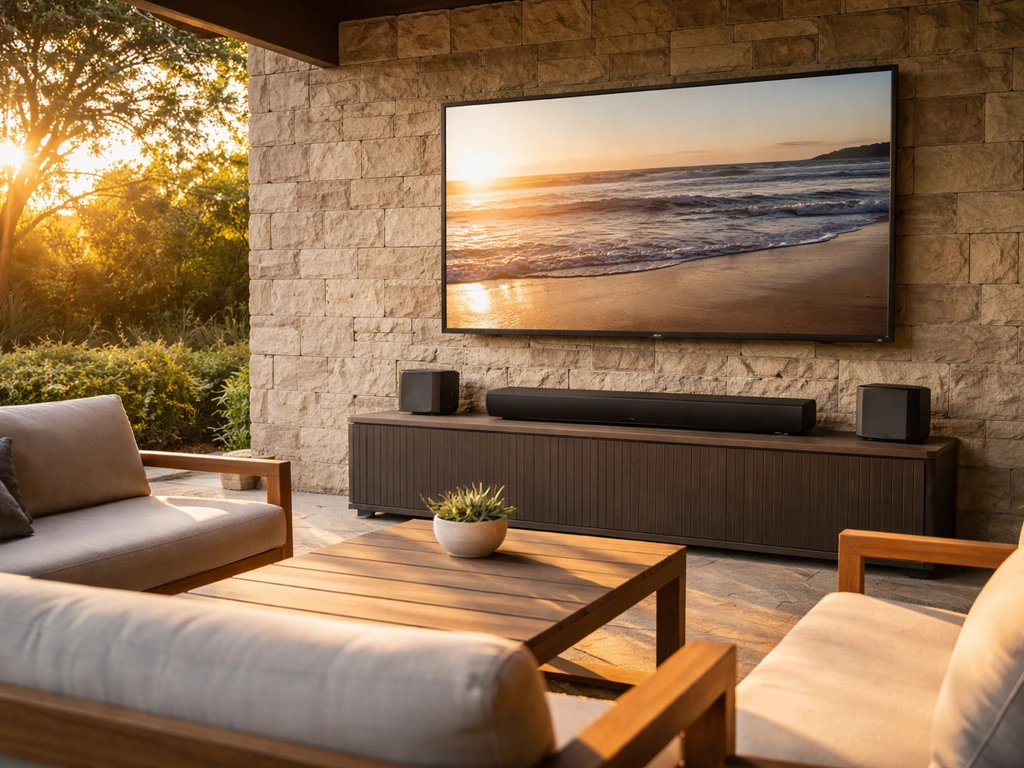
Built-in TV speakers are almost always inadequate outdoors. Sound dissipates in open air much faster than inside, and even a TV with decent built-in audio will sound thin and quiet on a patio. Plan for external speakers from the start. For the best outdoor experience, pair your patio TV setup with the best Sonos for an outdoor patio so you get fuller, more even sound across the seating area best sonos for outdoor patio. If you are comparing options, use a guide to the outdoor patio speakers best buy picks to get the most reliable sound. The Samsung Terrace pairs directly with The Terrace Soundbar, which is also weatherproof and designed for outdoor use. If you want a more distributed sound setup across a larger patio, dedicated outdoor Bluetooth or wired speakers are worth looking into as a separate component. To keep the sound balanced across the patio, consider the best patio speakers bluetooth if you want an easy wireless setup. For the best wireless patio speakers, look for weatherproof ratings and speaker placement that keeps sound evenly balanced across the seating area wireless setup.
For placement, the goal is to position the screen so it faces away from the strongest light source, typically avoiding a south or west-facing orientation in the afternoon. Mounting the TV on a shaded wall, under a covered overhang, or in a corner that gets shade in the afternoon will improve visibility dramatically and reduce wear on the panel. If you have the option to orient the screen so it faces north or east, do it.
Mounting height outdoors is often different from indoors because seating arrangements vary more. A good starting point is mounting the center of the screen at approximately seated eye level, which is typically around 42–48 inches from the ground. On a patio where people recline in lounge chairs, you may want to mount slightly higher. A tilting outdoor TV mount lets you adjust the angle after install, which is worth the small extra cost. Make sure whatever mount you use is specifically rated for outdoor use; standard indoor mounts can corrode or weaken in outdoor conditions.
Budget vs. premium: what you actually get for the money
Outdoor TVs are significantly more expensive than indoor TVs of the same size because of the weatherproofing, brightness engineering, and anti-glare treatments involved. A 55-inch Samsung Terrace runs around $2,000–$2,500. A 55-inch SunBriteTV Pro 2 is in a similar range. These prices are high but reflect genuine engineering differences, not marketing markup. If you put a $400 indoor TV outside and it dies in six months, you haven't saved money.
The honest budget option is a well-covered patio with an indoor TV in a protective outdoor TV enclosure. Companies like Storm Shell and SunBriteTV make weatherproof enclosures that can house a standard indoor TV, protecting it from rain and bugs while improving its heat tolerance. These enclosures run $300–$600 and can extend an indoor TV's outdoor lifespan significantly. The downsides: the enclosure adds bulk, brightness is still limited to whatever the indoor TV produces, and setup is more complicated. It's a reasonable middle path for a covered patio on a tight budget, but not recommended for an exposed setup.
| Tier | Example Product | Approx. Price (55") | Best Use Case | Key Limitation |
|---|---|---|---|---|
| Budget (covered only) | Indoor TV in outdoor enclosure | $400–$800 total | Well-covered patio, mild climate | Low brightness, no direct-sun rating |
| Mid-range | SunBriteTV Veranda Series | $1,200–$1,800 | Covered or lightly shaded patio | Limited smart features |
| Premium (partial sun) | Samsung Terrace Partial Sun QLED | $2,000–$2,500 | Covered or shaded patio, high smart feature needs | Not for direct sunlight |
| Premium (full sun) | SunBriteTV Pro 2 Full Sun | $2,500–$4,000+ | Fully exposed, direct-sun patio | Fewer smart features than Samsung |
If you want a genuinely capable smart TV experience outdoors with good app support, AirPlay, and voice control, the Samsung Terrace is the better choice for a shaded or covered patio. If you want a starting point like what people recommend in best tv for outdoor patio reddit threads, a shaded or covered setup is where the Samsung Terrace tends to come up most often. If your priority is surviving brutal weather and direct sun year-round, the SunBriteTV Pro 2 is the more rugged, purpose-built option even if the software experience is more basic.
Shopping checklist and installation tips
Before you buy anything, work through this checklist. It will save you from expensive mistakes and a frustrating install.
Before you buy
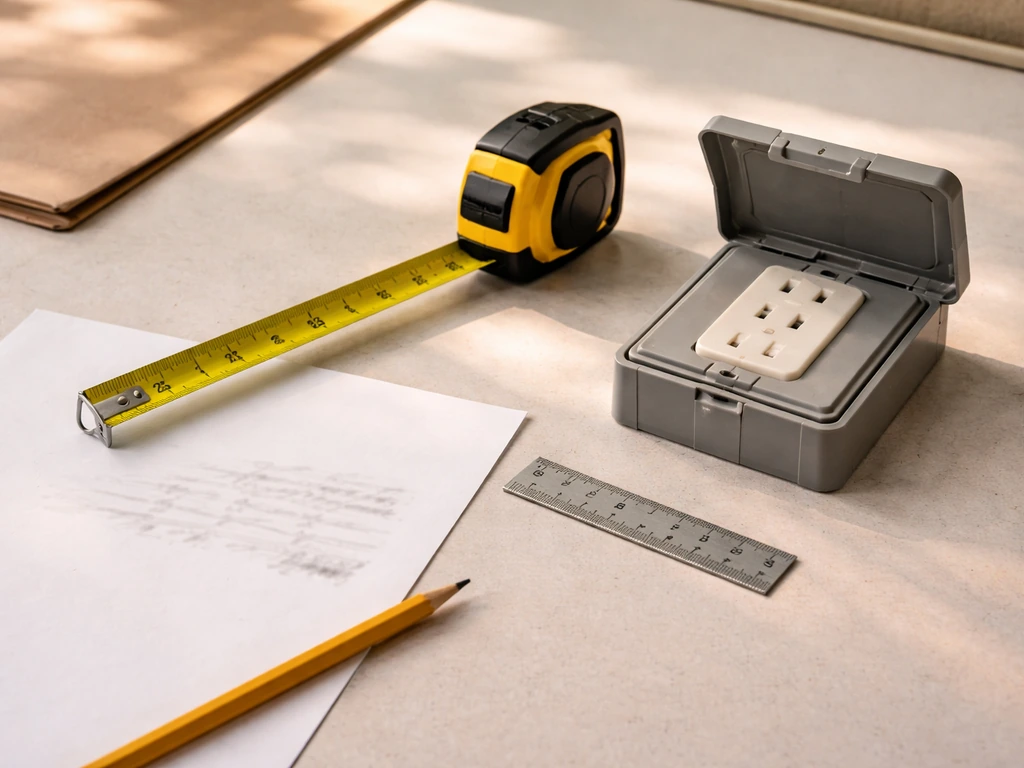
- Identify your patio type: covered/shaded, partial sun, or fully exposed with direct sun.
- Measure your viewing distance and use the formula (distance in inches / 1.6) to estimate the right screen size.
- Check your local climate's temperature extremes. If winters drop below freezing, verify the TV's minimum operating temperature and whether you plan to store it indoors seasonally.
- Decide on smart features: do you need full app support and streaming, or just HDMI input for a cable/streaming box?
- Confirm your Wi-Fi signal strength at the TV location, or plan for a wired Ethernet run or mesh extender.
- Budget for the full setup: TV, mount, outdoor-rated extension cord or hardwired outlet, surge protector, and speakers.
Power and electrical
Any outdoor electrical outlet used for a TV must be GFCI-protected. This is a code requirement in most jurisdictions, not just a best practice. If you don't already have a GFCI outlet in the right location, hire a licensed electrician to install one rather than running a standard indoor extension cord outside. Use a weatherproof outlet cover and a surge protector designed for outdoor use. For full outdoor installs, proper grounding and surge protection are important, especially if lightning is common in your area. A direct lightning strike or nearby surge can destroy outdoor electronics instantly without proper protection.
Mounting
Use an outdoor-rated TV mount, not a standard indoor bracket. Outdoor mounts are designed to resist corrosion and are built to handle larger wind loads. For mounting into masonry or brick, you'll need masonry anchors and the right drill bit. For wood framing, lag bolts into studs are the correct approach. Confirm the mount's weight rating exceeds your TV's weight with some margin. A tilting mount is worth the extra cost for patio use because it lets you fine-tune the vertical angle after install.
Cable management and weatherproofing
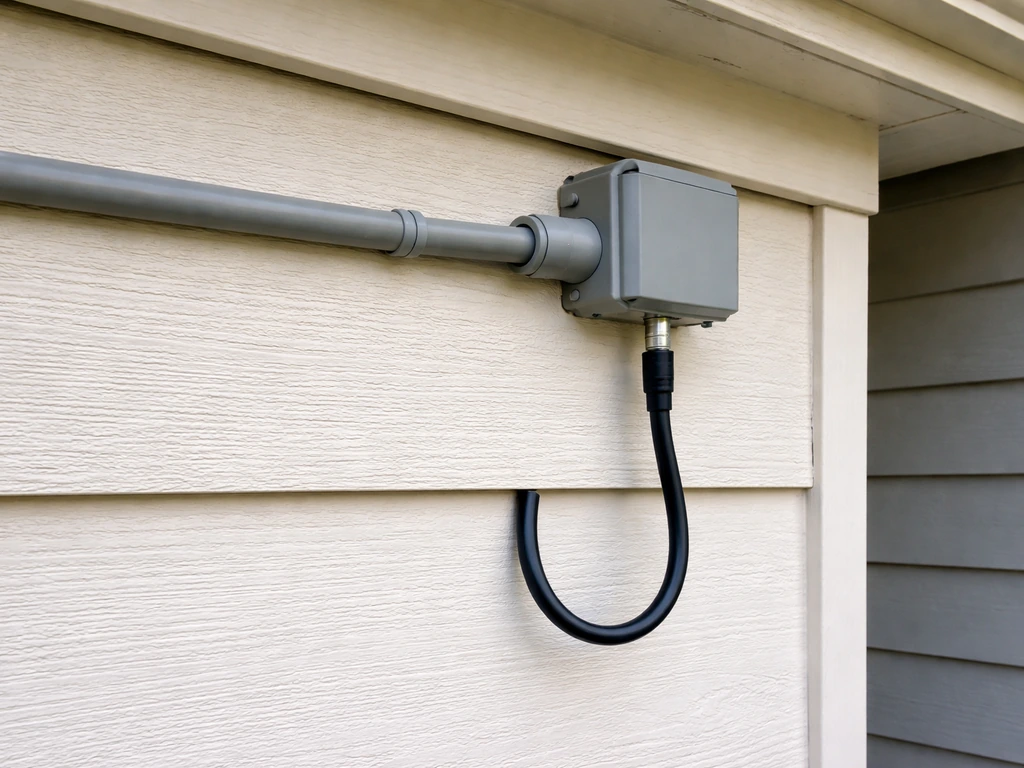
- Route cables through weatherproof conduit wherever they run outdoors.
- Use a drip loop on any cable entering the TV, meaning the cable should run down below the connection point before coming back up to plug in, so water runs off before reaching the port.
- Seal any wall penetrations with outdoor-rated silicone caulk.
- If running cable TV or antenna, use an outdoor-rated coaxial cable and a weatherproof splitter or amplifier if signal strength is marginal.
- Label your cable runs during install; it's much harder to trace them after the wall is closed up.
Antenna and cable options
If you want local broadcast channels without a streaming subscription, an outdoor antenna is a solid option and pairs well with a smart TV that has a built-in tuner. If you are specifically shopping for the best outdoor radio for a patio, look for weatherproofing, clear reception, and controls that work comfortably in outdoor lighting best outdoor radio for patio. An outdoor antenna mounted on the patio roof or eave will outperform any indoor antenna for range and signal stability. For cable or satellite, make sure the coaxial run to the outdoor TV uses properly weatherproofed connectors and that any splitters used are rated for outdoor installation.
Seasonal storage and maintenance
Even the most rugged outdoor TVs benefit from being covered or stored during off-season months if you're in a climate with harsh winters. Use an outdoor TV cover designed for your model when the TV is not in use for extended periods. Inspect the seals, vents, and cable connections at the start of each season. Clean the screen with a microfiber cloth, not paper towels or harsh cleaners, and check that the mount hardware hasn't loosened over winter.
FAQ
If my patio is covered but still gets morning dew, should I buy a partial-sun outdoor TV or is an indoor TV enclosure enough?
Dew that repeatedly forms and then evaporates can drive moisture into vents and around ports, even under a roof. If the dew reaches the screen or drips near the TV location, prioritize a purpose-built outdoor model (IP55 minimum) rather than an enclosure, or use an enclosure only if it fully shields the TV from drips and allows you to keep airflow controlled.
Can I mount an outdoor TV upside down or too close to the edge of an overhang to avoid glare?
Avoid mounting in a position where water can pool on the back or where the screen edge blocks drainage. Many outdoor TVs tolerate rain, but pooled water at ports or vents is what shortens lifespan. Aim for a slight tilt that sheds water naturally, and leave clearance around the TV’s sides and bottom for heat dissipation.
What matters more for glare control, matte finish or higher brightness?
Higher brightness helps, but glare is often dominated by screen reflectivity and viewing angle. A 2,000-nit set can still look washed out if the screen reflects the sky or nearby light sources. For best results, choose anti-reflective or anti-glare treatment and place the TV so the strongest light hits from behind or off-axis.
Do I need a 120Hz outdoor TV if I watch sports at night?
Usually not. For most patio viewing, 60Hz is sufficient because lighting conditions reduce perceived motion sharpness less than the panel brightness and reflection handling. Consider 120Hz only if you do serious gaming or watch fast-action content with a lot of motion where you sit close enough to notice artifacts.
Is 4K really worth it for outdoors, or will 1080p look the same from far away?
If your seating distance is around 15 to 20 feet, the benefit of 4K is less obvious than indoors. Still, 4K can matter for large screens and for viewing from closer spots, like a grill area. If the price difference is large, focus first on brightness, glare control, and viewing angles rather than resolution.
What IP rating should I target if it rains hard where I live but my patio is covered?
IP55 is a common baseline for splash and dust resistance. If your patio cover leaves any area exposed to wind-driven rain or frequent water jets, look for higher protection where available, and check the product’s guidance on acceptable rain exposure. Also confirm that the manufacturer specifies sealed ports and weatherproof cable glands.
Will an Ethernet connection work reliably if my outdoor TV is on a detached patio?
Yes, as long as the cable run and terminations are outdoor rated. Use exterior-rated Ethernet cable and weatherproof junctions, and avoid burying indoor-grade cable. If you must cross power lines or go long distances, consider a network switch designed for outdoor use or a surge-protected approach at the entry point.
Can I use my current Wi-Fi extender instead of repositioning it for the outdoor TV?
It can work, but only if the extender gets a strong signal from where it’s placed, and the outdoor TV has stable throughput. Many extenders degrade once they are too far, too high, or blocked by exterior walls and metal. If streaming buffers persist, a mesh node closer to the patio or a wired Ethernet drop to the TV is usually the more dependable fix.
What’s the right mounting height for lounge chairs, and how do I test it before final tightening?
For mixed seating (couches plus lounge chairs), mount so the center aligns with seated eye level for your most common position, then adjust with a tilting mount. Before tightening everything, do a quick daytime and nighttime test by viewing from each seating spot to confirm the picture clears the glare line and doesn’t force you to look upward.
How do I protect the TV during lightning season beyond using a surge protector?
Use a whole-system approach: plug the TV into an outdoor-rated surge protector, ensure proper grounding, and if lightning is frequent consider additional protection for the cable or antenna path too (coax surge arrestors). Also avoid disconnecting or touching cables during storms, and consider powering the TV off when not needed during severe weather.
Should I turn the TV off or cover it when I’m not using it?
Covering during off-season or long absences is worth it, even for outdoor TVs, because it reduces dust buildup and slows exposure to condensation cycles. For day-to-day use, turning it off during extreme storms is sensible. If you leave it outside year-round in winter, inspect seals and vents at the start of each season and after heavy freezes.
Can I add an outdoor sound system without changing my TV setup?
Yes, most patio TVs support audio output options like optical, HDMI ARC/eARC, or Bluetooth, depending on the model. If you plan multi-speaker or distributed audio, check whether your TV supports the audio format your outdoor amplifier or soundbar expects, and confirm audio delay compatibility so lips and action sync outdoors where Wi-Fi latency can vary.
Do outdoor TV enclosures reduce heat enough to safely run an indoor TV in direct shade?
They can help, but they do not replace the fundamental outdoor requirements. Enclosures reduce rain exposure, yet they can trap heat unless there is adequate ventilation and temperature management. If the enclosure has poor airflow, you can still get overheating, faster component wear, and condensation inside when temperatures swing at night.
Is an outdoor antenna worth it if I already have streaming apps?
If you want local channels and sports news without a streaming subscription, an outdoor antenna can be a low-cost backup. Place it on the roof or eave for range and stability, and verify the coax connectors are outdoor rated with weatherproofing. If reception is marginal, prioritize antenna placement and signal strength over buying a higher-end TV.
Next Articles
Best Patio Speakers Bluetooth: Buyer’s Guide by Patio Size
Compare the best Bluetooth patio speakers by patio size, weather ratings, battery power, range, bass, and multi-speaker
Best TV Mount for Outdoor Patio: Types, Specs, Install Guide
Best outdoor patio TV mount guide with mount types, must-have specs, weatherproof install steps, and viewing setup check
Best Sunbrella Patio Cushions: Top Picks, Guide & Maintenance
Find the best Sunbrella patio cushions: durable, fade‑resistant picks, buying tips, care, and top recommendations.